In most organizations’ information system architectures, network isolation has become the norm. R&D networks, office networks, production networks, and the external Internet are often separated through firewalls, DMZs, data diodes / isolation gateways, and similar controls. This isolation design effectively reduces the overall attack surface, but it also creates a long-standing and increasingly significant challenge: how to move files safely, compliantly, and efficiently across different security zones.
As collaboration models evolve, files are no longer low-volume, low-frequency supporting data. They carry critical business information such as design drawings, technical documents, contract materials, and financial reports. File exchange is happening more frequently, involving more people, and cross-department, cross-network, and cross-organization transfers have become part of daily work. In this context, file exchange is no longer just “sending a file”—it is a key process that directly affects business continuity, compliance readiness, and risk control.
However, many organizations still rely on early-stage file exchange methods such as dual FTP, USB drives, built-in “shuttle” functions of isolation gateways, or manual relays. These approaches may have met basic needs at the beginning, but as data volumes grow and compliance requirements tighten, their limitations become clear. They struggle to meet modern enterprise expectations for controllability, auditability, and security in file exchange.
Why File Exchange Becomes a High-Risk Point for Security and Compliance
Cross-network file exchange risk does not come from a single factor—it is the result of multiple real-world conditions stacking together. In network-isolated environments, if there is no unified, governed channel, files are often transferred via “workarounds,” which removes them from the security and audit framework.
Common sources of risk include:
● Changes in working patterns: more remote and cross-department collaboration, requiring frequent cross-zone file movement
● Tool fragmentation: FTP, USB, instant messaging, and email coexist without a consistent standard
● Compliance and customer requirements: audits increasingly focus on “where the file came from, where it went, who approved it, and who downloaded it”
These risks may not immediately present as security incidents, but over time they weaken an organization’s ability to control data movement. When something goes wrong, it becomes difficult to trace accountability, reconstruct events, and provide clear evidence to auditors or partners.
Why Everyone Knows It Matters, Yet It’s Still Hard to Implement
In most organizations, IT and security teams are well aware of file exchange risks. The problem is often discussed repeatedly, but real implementation frequently stalls. This gap between awareness and execution is caused by practical constraints.
Typical implementation challenges include:
● Legacy practices are deeply ingrained; business teams depend on USB or FTP and cannot change quickly
● The file exchange process lacks visibility; complete logs and audit capabilities are missing
● Approval workflows are disconnected from actual file transfer actions, making it hard to bind approval outcomes to file behavior
● Isolation requirements across networks are complex; deployment and transformation costs are high
● Existing tools struggle to balance security and usability, so they are easily bypassed
The core issue is not whether control is needed, but whether there is a file exchange mechanism that fits network isolation requirements and can be naturally adopted by business users.
FileLink’s Approach: Building a Controlled File Exchange Channel Under Network Isolation
FileLink is not designed to replace every existing business system. Instead, it establishes a dedicated channel for file movement under network isolation—one that is compliant, auditable, and controllable. It addresses a central question: how can file exchange be brought “back into the system” without changing the existing network architecture?
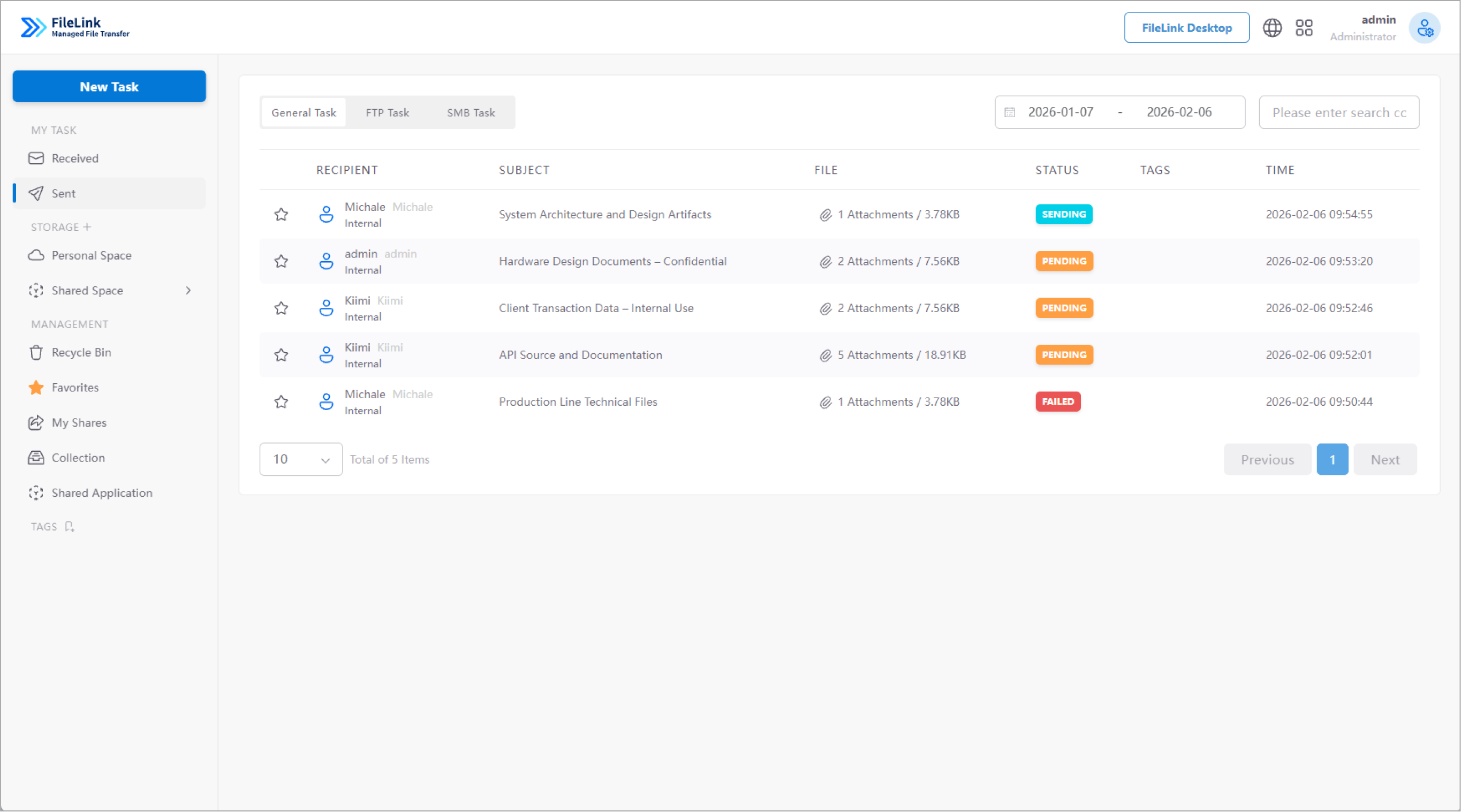
Architecturally, FileLink deploys file exchange servers in both internal and external networks and works with isolation facilities such as firewalls, DMZs, and data diodes / isolation gateways to shuttle files between two or more networks. Files are not transferred point-to-point between endpoints; instead, they are relayed through a controlled exchange platform, which provides the foundation for security checks, approvals, and auditing.
From a user perspective, FileLink provides a unified entry point for file exchange. Internal users can initiate file delivery in a governed environment and explicitly specify recipients. External or cross-network users can only receive or download files under authorized conditions. Every operation in the process is recorded and included in the audit scope.
Core Capabilities: End-to-End File Exchange Management
FileLink is not only concerned with whether a file transfer succeeds. It provides layered controls across the full file exchange lifecycle.
Before sending, the system can automatically trigger approval workflows based on file attributes and sender/recipient characteristics. Approval strategies support multi-level approvals, multi-person approvals, co-sign (joint approval) or alternative approval models, ensuring sensitive files are reviewed before they move.
During transfer, FileLink performs content security checks, including sensitive data detection and anti-malware scanning. It can identify sensitive information through keywords, regular expressions, and OCR, then decide whether to allow, alert, or block based on policy.
After transfer, all exchange activities generate a complete audit trail. Exchange history is automatically archived, and auditors can view exchange records, approval records, and operational actions according to permissions—for compliance reviews or internal investigations.
File-Level Security Controls: Reducing Secondary Leakage Risk
Even after a file has been successfully exchanged, risk does not disappear. FileLink introduces finer-grained file usage controls to restrict how files can be used on the receiving side.
For outbound files, the system supports configuring expiration periods, download limits, and access-code verification. For higher protection needs, it can enable access controls such as view-count limits, disabling printing, disabling copying, disabling screenshots, and applying watermarks during file viewing.
These controls do not change the file content itself. Instead, they reduce the risk of further distribution after exchange by enforcing governed access, keeping data movement within predictable boundaries.
Typical Use Cases: Practical Ways to Deploy Cross-Network File Exchange
In R&D and production-isolated environments, R&D endpoints typically cannot directly access the office network or the Internet. With FileLink, engineers can submit files within the internal security zone. After approval and inspection, the system completes cross-network exchange—avoiding uncontrolled methods like USB drives.
In external collaboration scenarios, organizations need to send files to customers, suppliers, or partners. FileLink provides share links with password verification and time limits, while recording every download action.
In organizations with strict audit and compliance requirements, FileLink’s full logging and audit capabilities make file exchange activities clearly reproducible, providing reliable evidence for internal governance and external audits.
Start with a Standard Channel and Gradually Establish File Exchange Order
In real deployments, FileLink is typically introduced in a phased approach:
- Establish a unified cross-network file exchange entry point
- Bring critical business file exchange into the system
- Enable approval and security inspection policies
- Strengthen auditing and historical archiving mechanisms
This allows organizations to consolidate scattered file exchange behaviors progressively without disrupting existing operations.
Summary: Bringing File Exchange Back to a Controlled, Auditable Track
In environments where network isolation is the norm, file exchange should not depend on temporary workarounds or individual habits. FileLink provides a system-based path to manage cross-network file movement so that file exchange activities can be seen, recorded, and audited.
Rather than attempting to cover every scenario at once, this approach emphasizes long-term stable operation in real business environments—helping organizations build sustainable foundational capabilities for secure data exchange.
FAQ (Frequently Asked Questions)
Q1: Does FileLink require changes to the existing network isolation architecture?
A: No. FileLink can be deployed under existing firewall, DMZ, and isolation gateway architectures.
Q2: Does FileLink support large file transfers?
A: Yes. It includes high-performance transfer mechanisms and supports resumable uploads/downloads and integrity verification.
Q3: Can file exchange be subject to approval workflows?
A: Yes. Policy-based, multi-level approval workflows are supported, and approval templates can be customized.
Q4: Can external recipients’ file usage be restricted?
A: Yes. It supports expiration, download limits, and access permission controls.
Q5: Does FileLink provide complete audit logs?
A: Yes. File exchange, approvals, and related operational actions are centrally recorded and available for audit review.





 Contact


 9 min
9 min 


