How to Create a Standard Administrator
Some administrators may need to install a standalone Management Console or use the mobile app to participate in document approval. Before they can do so, you must create an administrator account in the Ping32 Management Console and assign the required permissions. Create a standard administrator account In the Management Console, go to System Settings -> […]
Some administrators may need to install a standalone Management Console or use the mobile app to participate in document approval. Before they can do so, you must create an administrator account in the Ping32 Management Console and assign the required permissions.
Create a standard administrator account
- In the Management Console, go to System Settings -> Account Management and click Add.
- In Account Type, select General Administrator.
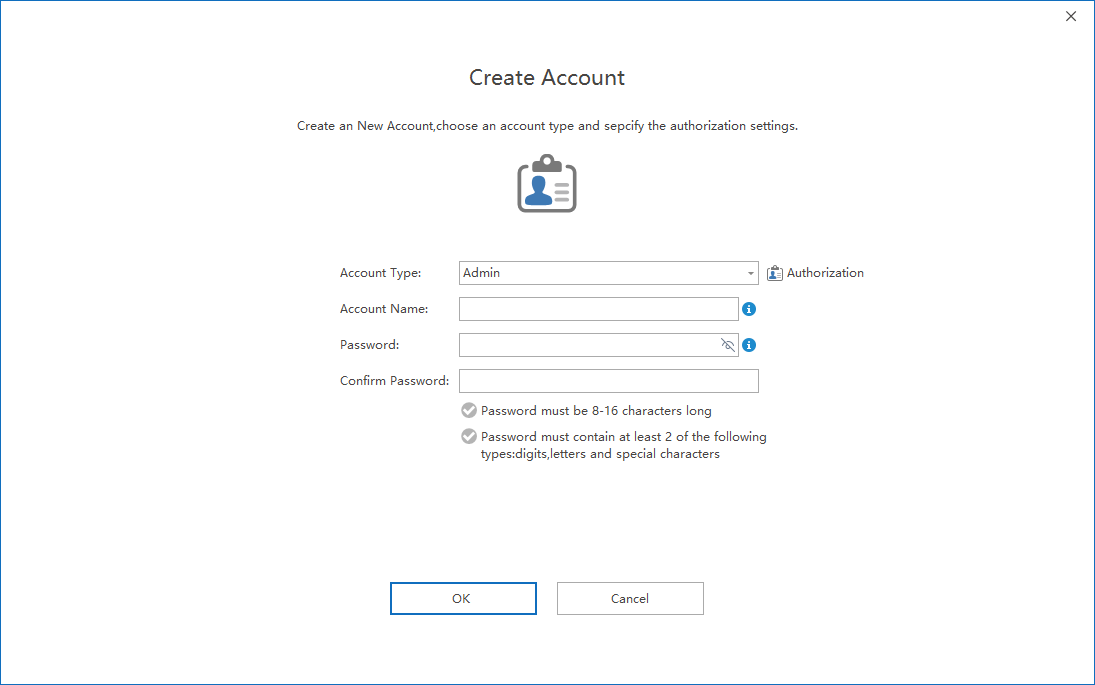
Configure permissions (optional)
Click
Permission Settingsto configure the account in detail.
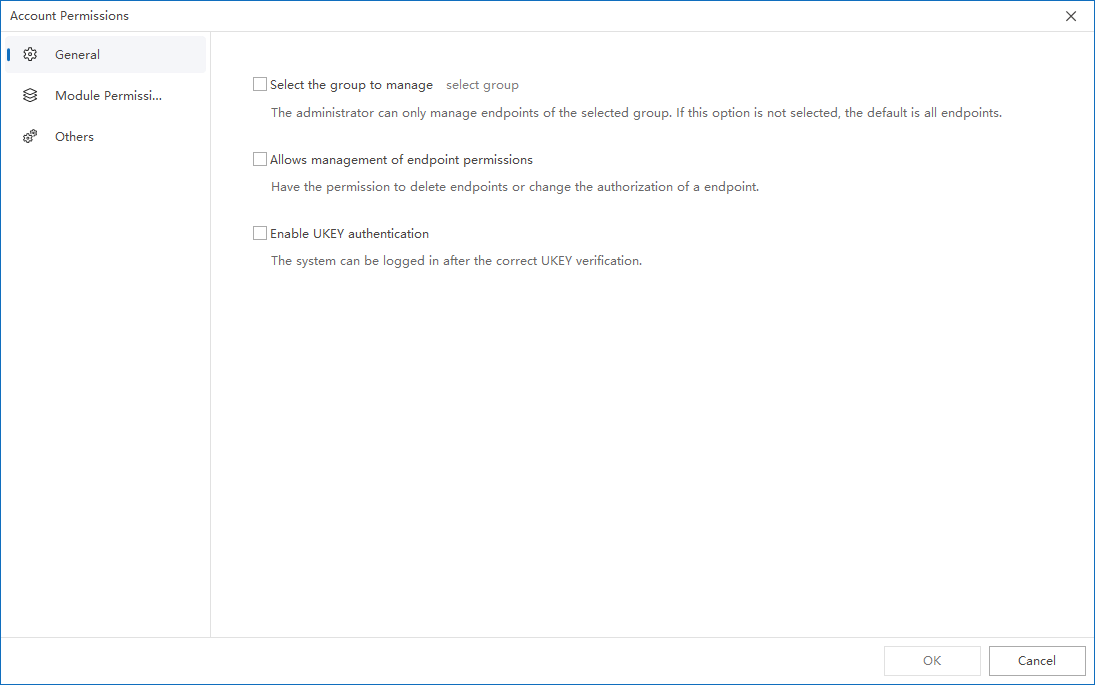
General settings
If the administrator should manage only a specific group:
- Enable Only allow management of endpoints in specified groups.
- Select the required group.
If this option is not enabled, the administrator can manage all endpoints and users by default.
If
Allow management endpoint permissionsis enabled:
- The administrator can delete endpoints.
- The administrator can modify endpoint permissions.
If
Enable UKEY Authenticationis enabled:
- You can bind a UKEY when creating the administrator account.
- The administrator must insert the UKEY to log in to the Management Console.
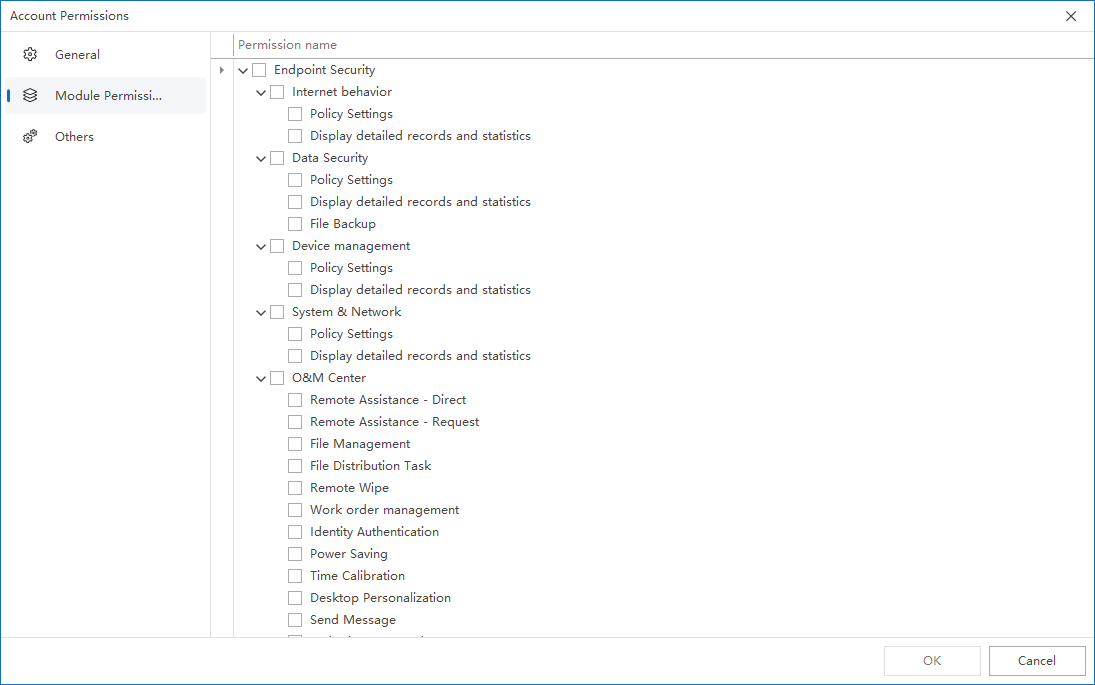
Module permissions
On the
Module Permissionstab, select the functional permissions the administrator is allowed to use.
- Policy settings: allows the administrator to manage policies for designated modules.
- Detailed records and statistics: allows the administrator to view audit data in the Management Console.
- If Approval Process in the Document Encryption module is enabled, the administrator can also participate in related approval workflows.
Updated


