How to View the Endpoint Agent Offline Time
In the Ping32 Management Console, you can view endpoint offline time in the following three ways. These methods are suitable for single-endpoint checks, batch review and export, and report-based analysis. Method 1: View endpoint details Open Endpoint List. Double-click the target offline endpoint. Hover over the Offline status indicator. The endpoint's last offline time is […]
In the Ping32 Management Console, you can view endpoint offline time in the following three ways. These methods are suitable for
single-endpoint checks,
batch review and export, and
report-based analysis.
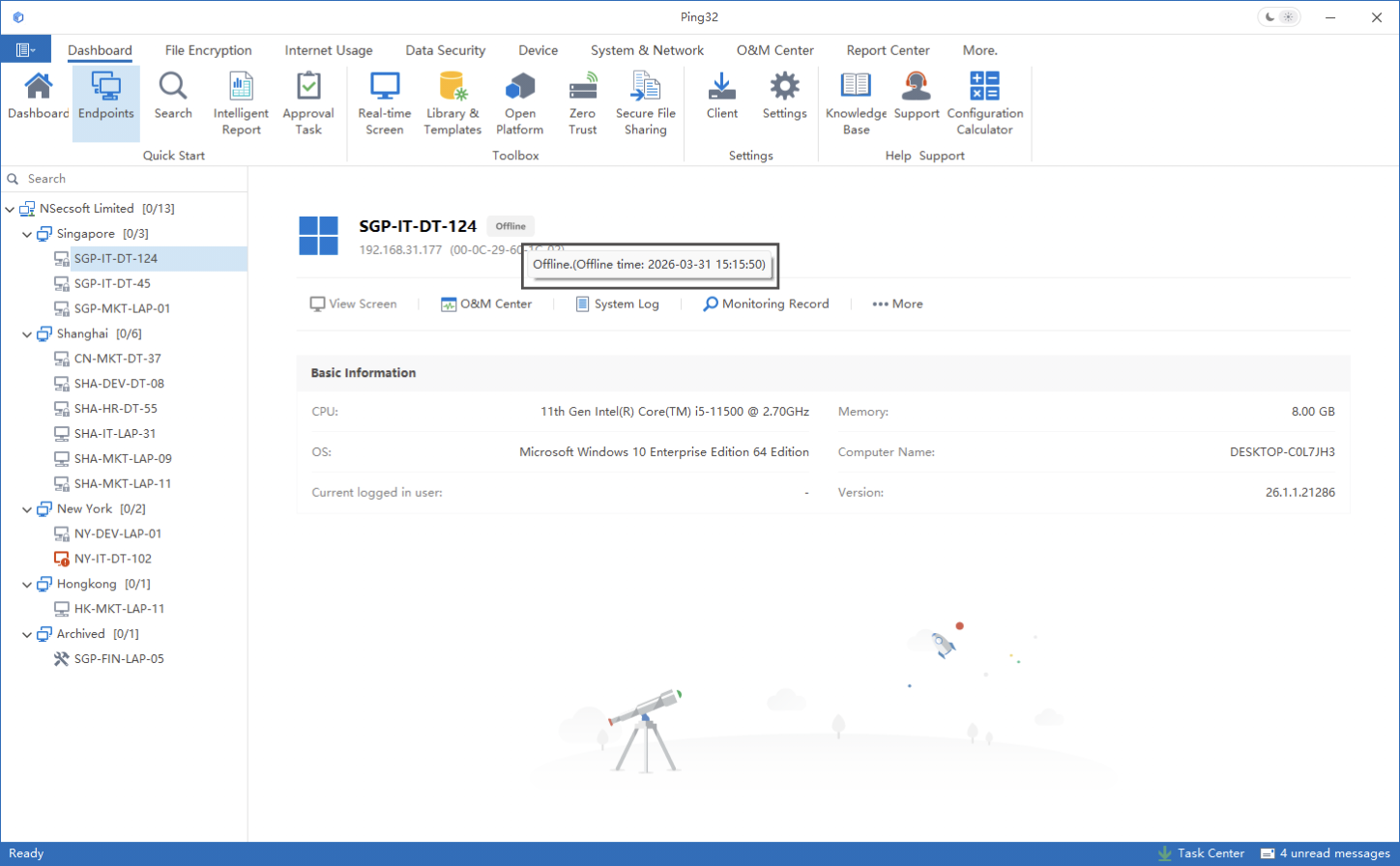
Method 1: View endpoint details
- Open Endpoint List.
- Double-click the target offline endpoint.
- Hover over the Offline status indicator.
- The endpoint's last offline time is displayed, as shown below.
Method 2: Use the advanced endpoint list
- Right-click a blank area in Endpoint List.
- Select Advanced Endpoint List.
- Review offline time for multiple endpoints in the advanced list.
- Click Export in the upper-right corner to export the results, as shown below.
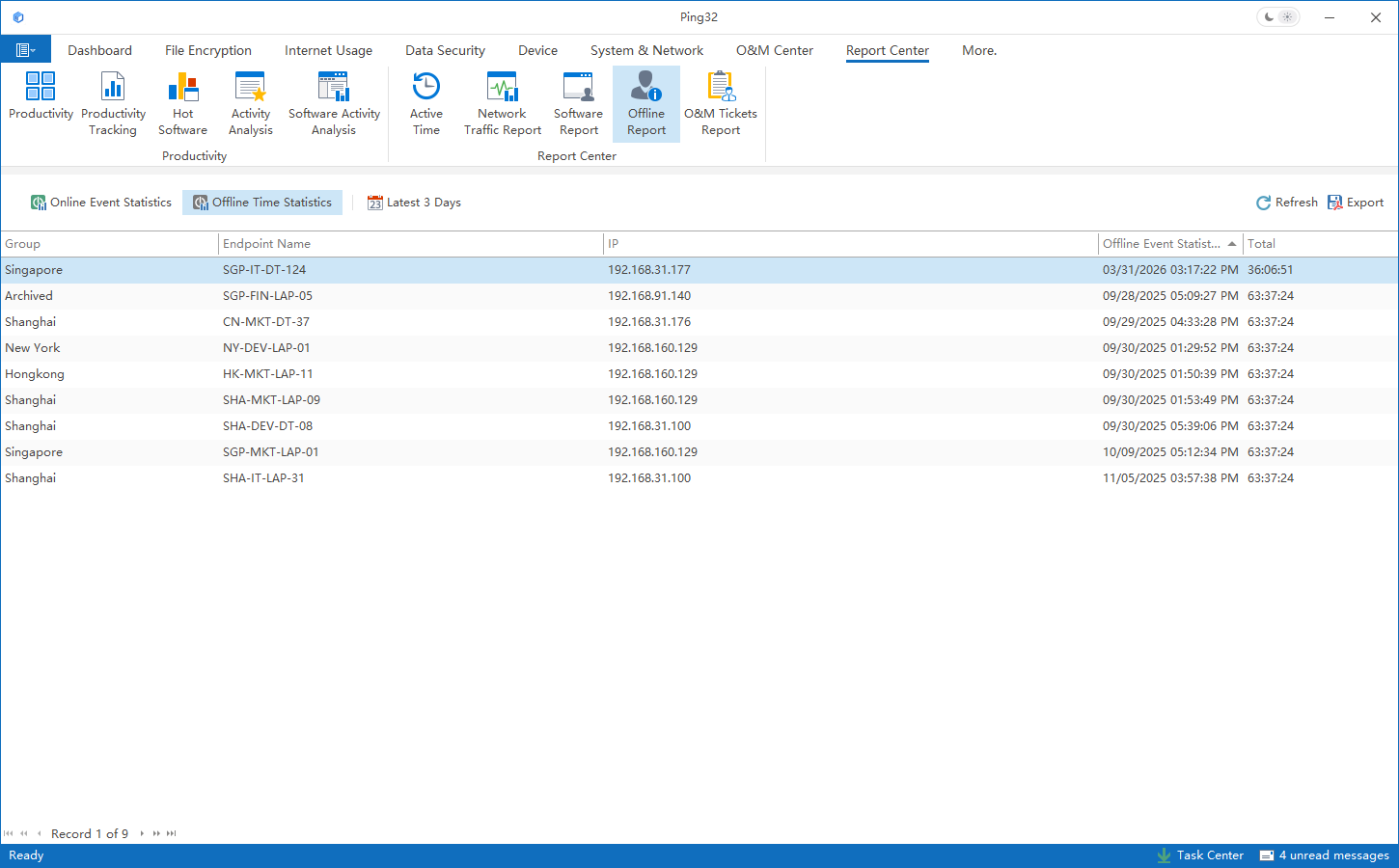
Method 3: View data in Report Center
- Click Report Center.
- Open Offline Statistics to review the relevant information.
Updated


