How to View Employees' File Operation Records
Rather than focusing only on whether an outflow occurs in the end, File Operation records are more suitable for observing employees' pre-operations on the endpoint, such as opening, copying, deleting, moving or renaming files, etc. For security administrators, such records can help restore the local operation track of files and provide earlier behavioral clues for […]
Rather than focusing only on whether an outflow occurs in the end,
File Operationrecords are more suitable for observing employees' pre-operations on the endpoint, such as opening, copying, deleting, moving or renaming files, etc. For security administrators, such records can help restore the local operation track of files and provide earlier behavioral clues for events such as outbound files, deletions, and abnormal downloads.
In daily audits, it is recommended to use
File Operationrecords as the "process audit" entrance, and
Leak Trackingand
File Backupas the "result audit" entrance. The combination of the two can more completely determine the life cycle of a file on the endpoint.
Click
Data Security→
File Operationon the Ping32 Management Console to view the audit records of employee file operations.
File operation types that support auditing
- Open
- copy
- delete
- download
- New
- move
- Rename
Filter audit data
Click the
Filterbutton to conditionally filter the audit data.
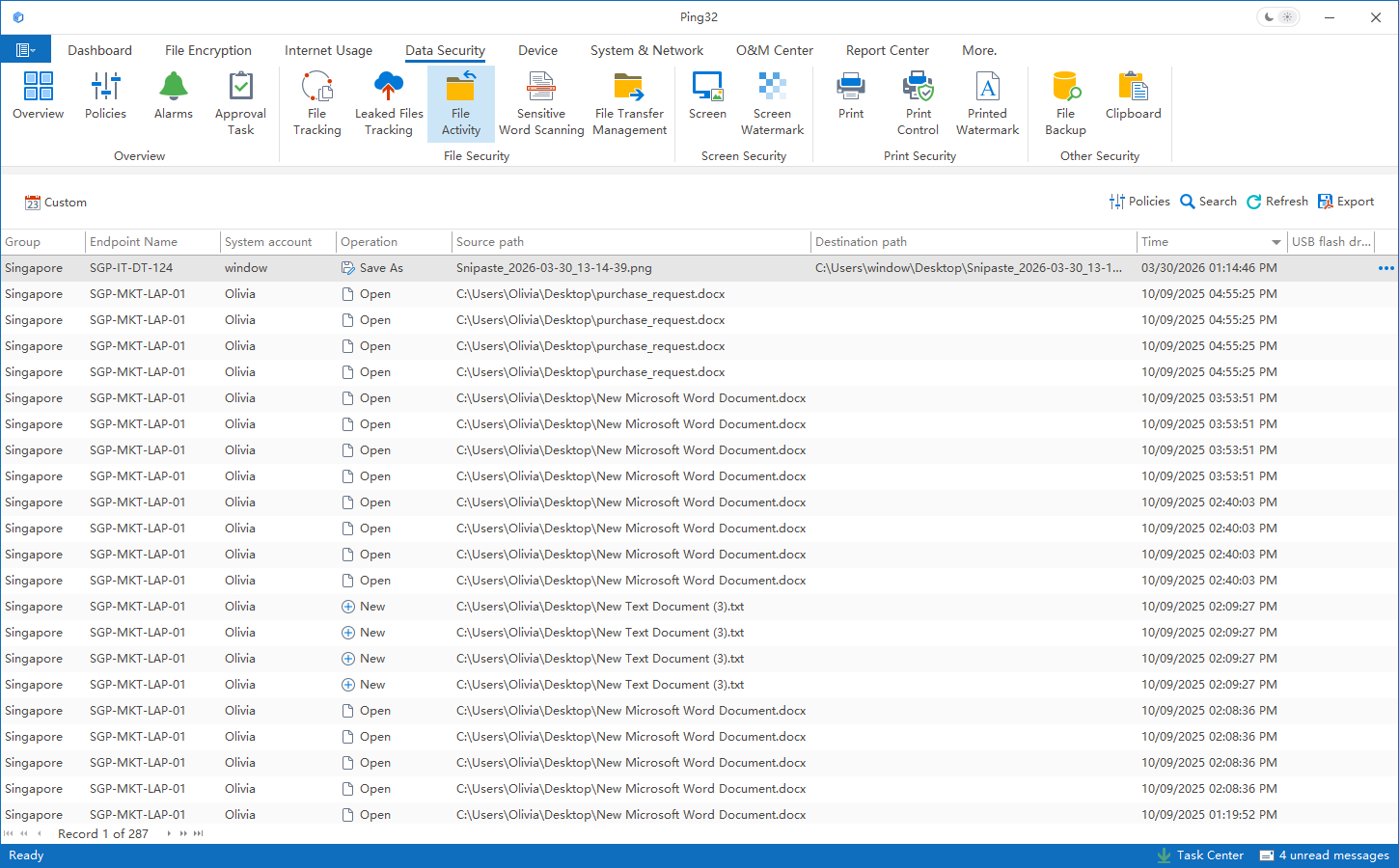
Example:
View only the "deletion" record of a certain endpoint
View the "Delete" records of all endpoints
Usage suggestions
- If the administrator is troubleshooting outbound file transfer events, he or she can first check whether the target file has any abnormal pre-actions such as copying, renaming, and moving locally.
- If the administrator is checking for accidental deletion or malicious deletion, he can prioritize deletion related records and then compare them with the file backup results.
- For key endpoints, it is recommended to conduct cross-screening based on time range, operation type and endpoint name to narrow the scope of investigation.
Typical usage scenarios
In actual work,
File Operationrecords are particularly suitable for the following scenarios: First, when employees leave and hand over or their positions are adjusted, check whether there is centralized copying and moving of data; second, when important files are lost or replaced, check whether deletion, renaming or movement has occurred; third, after an external event occurs, trace back the preparation process of relevant files on the endpoint. By connecting these pre-operations with subsequent outgoing, deletion, and backup records, it is easier for administrators to draw reliable conclusions.
Updated


