How to Search for an Endpoint
During daily operation, maintenance and troubleshooting, administrators can quickly locate the target endpoint through a variety of conditions. Ping32 supports searching and filtering based on the following information: IP address MAC address Endpoint Name/Computer Name Group Entry 1: Endpoint list search (quick positioning) Suitable for: Those who have mastered the basic information of endpoints and […]
During daily operation, maintenance and troubleshooting, administrators can quickly locate the target endpoint through a variety of conditions. Ping32 supports searching and filtering based on the following information:
- IP address
- MAC address
- Endpoint Name/Computer Name
- Group
Entry 1: Endpoint list search (quick positioning)
Suitable for: Those who have mastered the basic information of endpoints and need to quickly retrieve a single or a small number of endpoints.
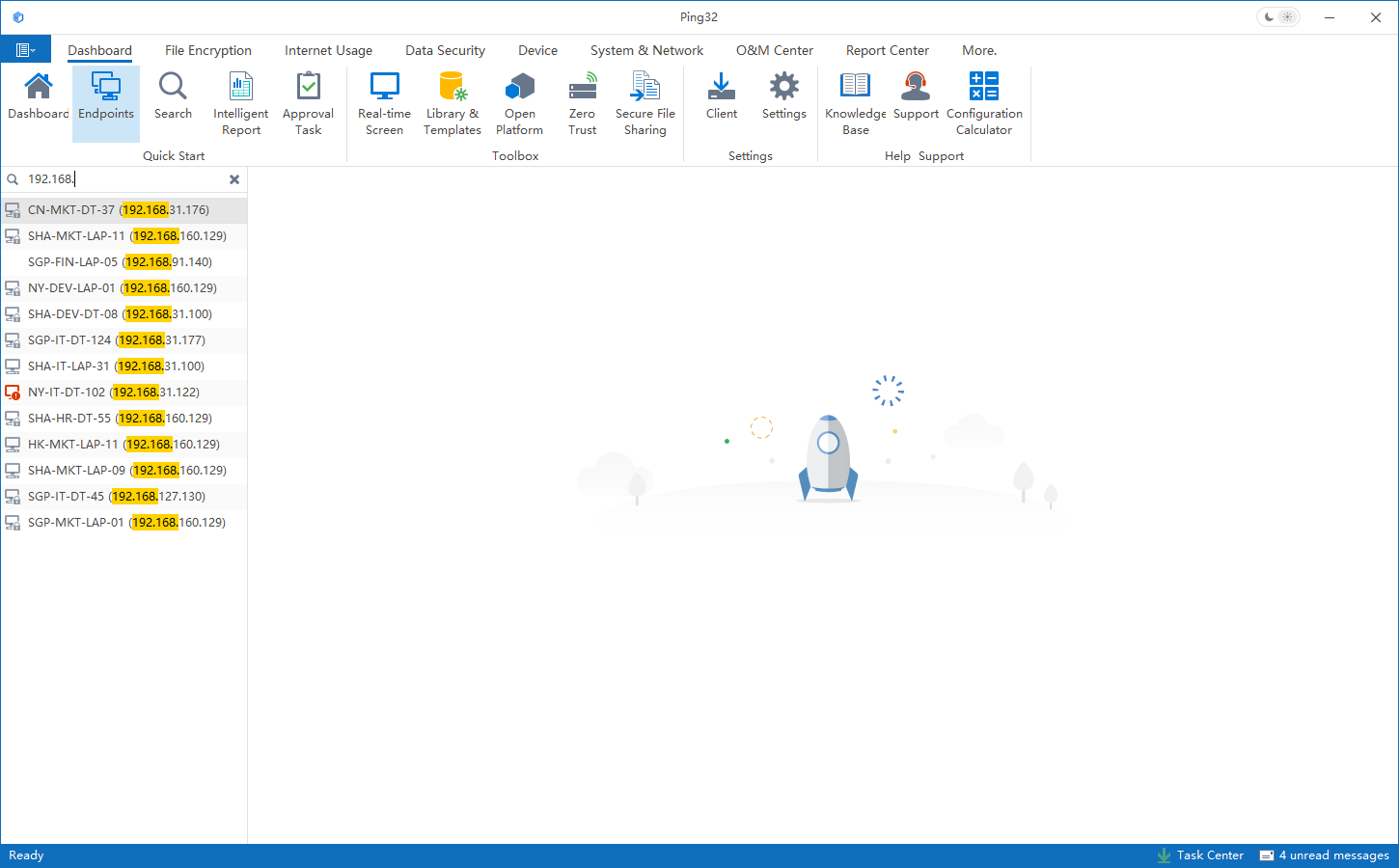
- Click Start -> Endpoint on the Management Console to enter the endpoint list
- Click the search box at the top
- Enter keywords to search (such as IP address, endpoint name/computer name, etc.)
Entry 2: Advanced endpoint list filtering (precise filtering/batch positioning)
Suitable for: precise filtering by fields, or batch positioning and verification when there are a large number of endpoints.
- Right-click on a blank space in the endpoint list
- Select Advanced Endpoint List
- Find the field column that needs to be filtered in the list (such as IP, MAC, endpoint name, group, etc.)
- Use the filter function in the upper right corner to filter and search
Updated


