How to Add Entries to the Email Address Library
Ping32 provides a wealth of libraries and templates to meet the different needs of enterprises for data security and business process approval. This article mainly introduces the settings of the email address library in "Libraries & Templates". The email address library provides administrators with a convenient and efficient management tool, which can help administrators better […]
Ping32 provides a wealth of libraries and templates to meet the different needs of enterprises for data security and business process approval. This article mainly introduces the settings of the email address library in "Libraries & Templates". The email address library provides administrators with a convenient and efficient management tool, which can help administrators better manage and maintain end-user email activities.
There are two ways to open "Libraries & Templatess" in the Ping32 Management Console:
- Click the "Start" menu, then click "Libraries & Templatess".
- Click the "More Functions" menu, then click "Libraries & Templatess".
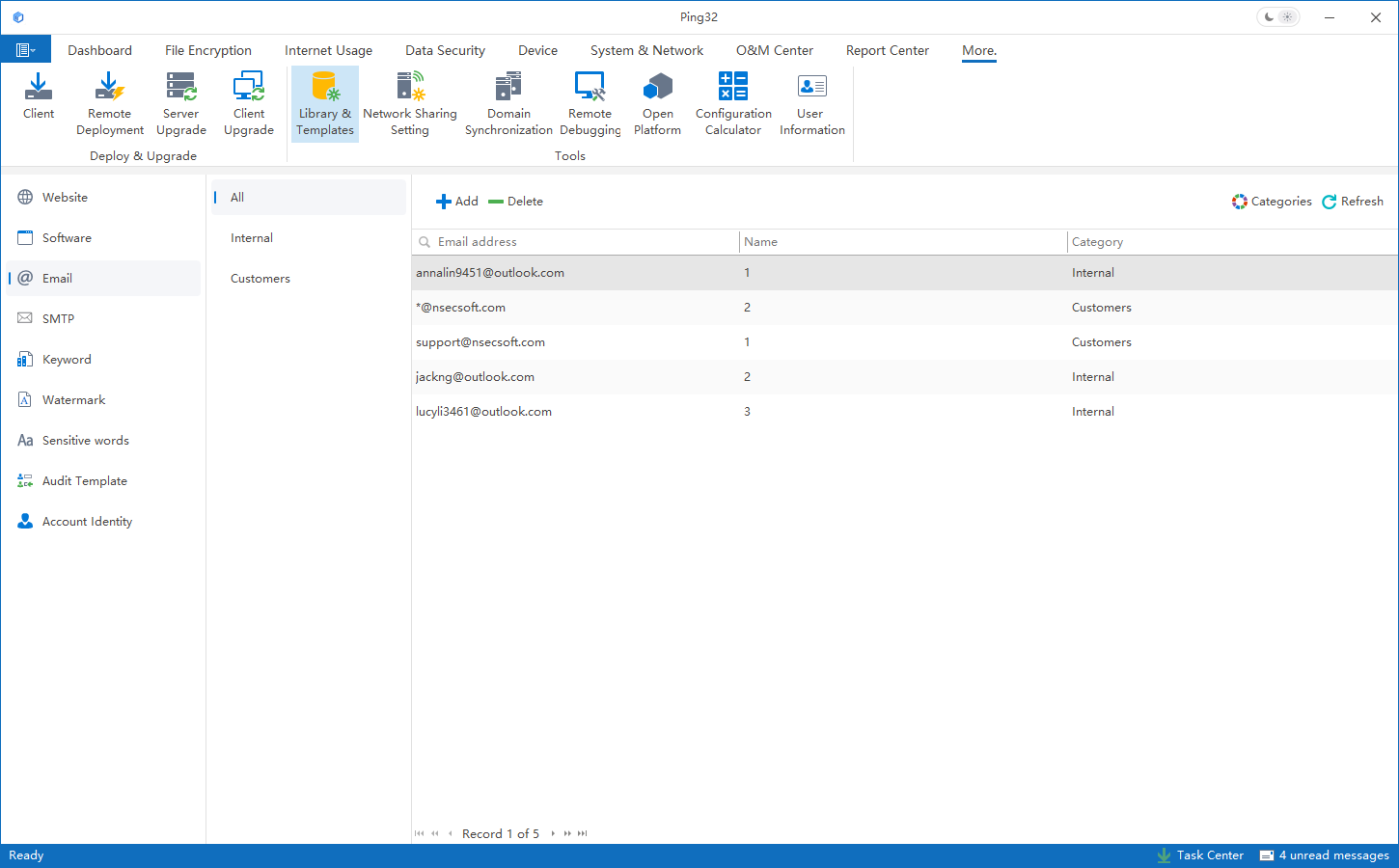
1. Click
Start->
Libraries & Templatessin the Ping32 Management Console to enter the library & template setting interface.
2. Click
Email Addressto enter the email address library interface.
3. Click
Addto add an email address, and set groups and notes.
4. After saving, the email address can be added to the email address library, which can be quickly selected and used later.
Updated


