How to Audit Employees' Outbound Emails
Email remains one of the most common outbound channels for businesses. For many organizations, it is often easier to implement a clear audit of "who is sending the email, how it is sent, and whether it contains sensitive content" than to implement strong interception from the beginning. Through Ping32's email auditing capabilities, administrators can continuously […]
Email remains one of the most common outbound channels for businesses. For many organizations, it is often easier to implement a clear audit of "who is sending the email, how it is sent, and whether it contains sensitive content" than to implement strong interception from the beginning. Through Ping32's email auditing capabilities, administrators can continuously record employee email sending behavior, providing a basis for compliance traceability, post-event evidence collection, and subsequent outbound control.
Ping32 email audit supports the following types:
- HTTPS protocol Web mailbox: such as NetEase mailbox, QQ mailbox
- SMTP/Exchange protocol email client: such as Foxmail, Outlook
Recommended Checks Before Enabling
Before formal configuration, it is recommended to first confirm which type of email environment the current enterprise mainly uses:
- If employees mainly log in to web mailboxes through browsers to send and receive emails, they should focus on verifying the web mailbox scenario.
- If employees use local clients such as Outlook and Foxmail, they should also pay attention to whether the corresponding protocols are covered, especially whether Enable Outlook (Exchange Protocol) in the Outlook scenario is turned on.
- If an enterprise only wants to retain high-risk email records without excessive audit volume, it can combine Email content associated with sensitive content and Only audit records containing sensitive content to focus the audit on sensitive outbound behaviors.
The value of this step is to set the audit objectives clearly first to avoid the subsequent situation of "the strategy is clearly stated, but the records do not meet expectations."
Configuration steps
1. Click
Internet Behaviorin the Ping32 Management Console, and then click
Policyto enter the Internet Behavior Policy Settings interface.
2. In the Internet Behavior Policy Settings interface, click
Emailto turn on
Audit Content.
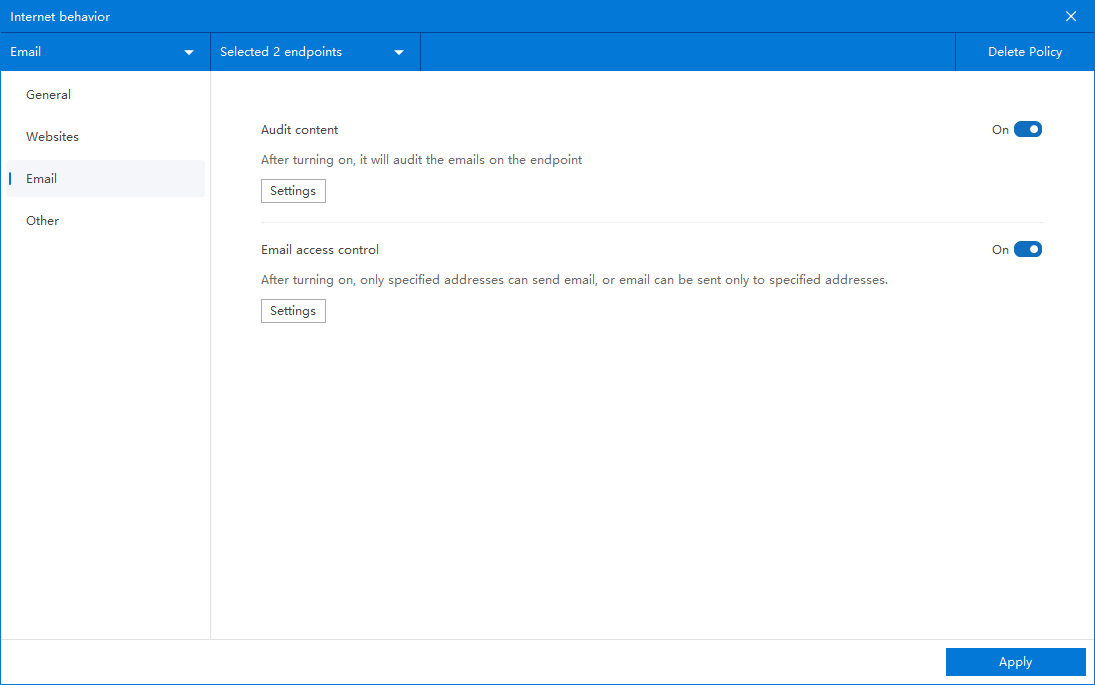
Ping32 will only start recording email sending behavior after
Audit contentis turned on. It is recommended to use email auditing as a permanent basic policy. Even if email interception is not enabled temporarily, complete records should be retained first.
3. Optional: Only audit email records containing sensitive content
- Click Parameter Settings
- Check Email content associated with sensitive content
- Check Only audit records containing sensitive content, sensitive content needs to be added in the Data Classification Library
- If you want to audit your Outlook mailbox, you also need to check Enable Outlook (Exchange protocol)
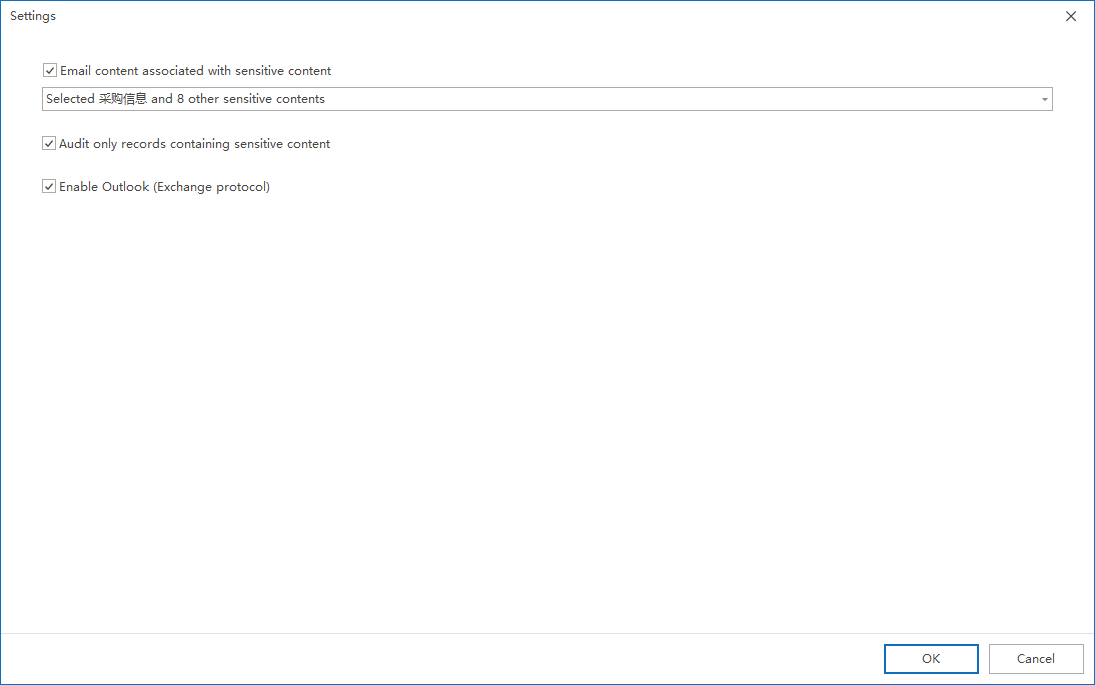
If an enterprise wants to prioritize sensitive emails, it can use this method to narrow the scope of the audit. This not only allows the security team to focus on key records, but also helps reduce the analysis pressure caused by massive ordinary email logs.
4. After the policy setting is completed, confirm the policy application endpoint.
It is recommended to apply the policy to representative test endpoints first, such as covering both web mailbox users and Outlook users, so as to verify the audit effect under different usage methods at one time.
5. After confirming the policy application endpoint, click
Applyto start monitoring and auditing employee emails.
6. After the policy is issued, click
Online Behavior→
E-mailto view relevant audit records of employee emails sent.
Audit record viewing and effect verification
It is recommended to do a standard verification after applying the strategy:
- Select a test endpoint that has been included in the policy scope.
- Send a test email through the actual email address.
- If Associate sensitive content with email content is enabled, you can send another test email containing known sensitive content.
- Return to Internet Behavior → Email to check whether the corresponding audit record has been generated.
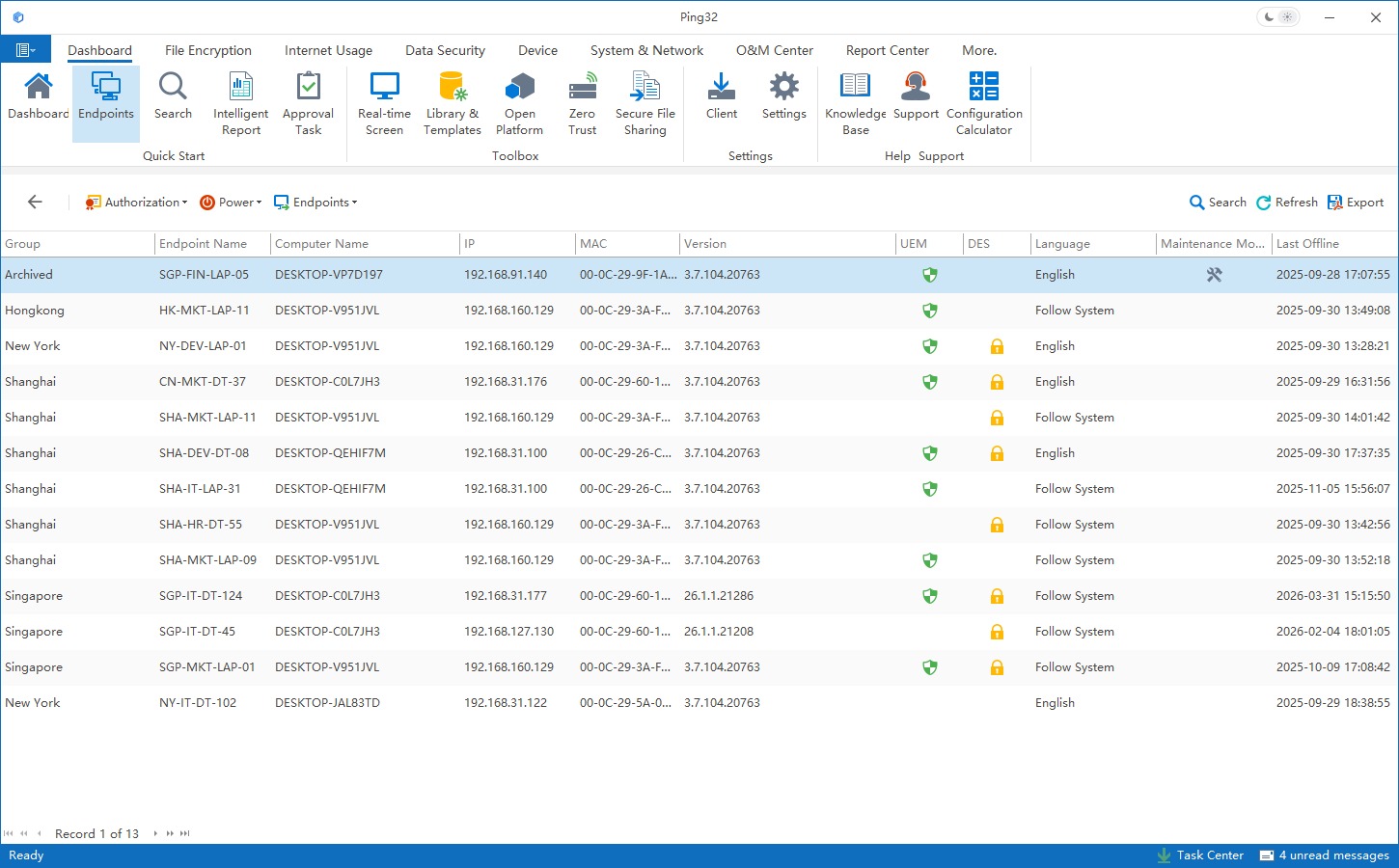
If your enterprise has both webmail and Outlook mailboxes, it is recommended to verify them separately. This prevents administrators from mistakenly thinking that another type of email has been covered after testing it in only one way.
Usage suggestions and common troubleshooting ideas
- If you are just starting to build an email governance system, it is recommended to audit the entire system first, and then decide whether to shrink it to "only audit records containing sensitive content" based on the audit results.
- If you cannot see Outlook related records in the console for a long time, first check whether Enable Outlook (Exchange Protocol) is checked.
- If you only want to reduce the amount of auditing, it is not recommended to turn off email auditing directly. A more appropriate way is to reduce the scope of records through sensitive content association.
- If there is a record but the content does not meet expectations, you should first check whether the definition of sensitive content in the data classification database is accurate and whether it covers the actual email content.
From a management practice perspective, the core value of email auditing is not just “seeing that employees have sent emails”, but also enabling companies to quickly locate the responsible entity and behavioral time points based on the records retained by Ping32 when outbound disputes, sensitive information dissemination or compliance traceability requirements occur. Therefore, it is recommended that email auditing be retained as a basic capability in Internet behavior governance for a long time.
Updated


