Authorized Software Library Overview and Import Guide
What is the authorized software library-> Authorized software library is the key judgment basis in the document encryption policy and is used to define: which processes (software/programs) are "permitted normal operating behaviors" for which file types (suffixes) in specific business scenarios. This library is based on a large amount of operational data and project practices […]
What is the authorized software library->
Authorized software libraryis the key judgment basis in the document encryption policy and is used to define:
which processes (software/programs) are "permitted normal operating behaviors"for which file types (suffixes) in specific business scenarios.
This library is based on a large amount of operational data and project practices in real business environments. It summarizes the file types frequently accessed/processed by common software in work scenarios and their behavioral characteristics (such as reading, editing, generating, exporting, etc.).
During the encryption execution process, the system will combine the
and the
operated file typeto make a matching judgment, thereby deciding whether the file should be
encryptedor
maintained in plaintextto achieve:
- Meet security control requirements (the encryption must be encrypted)
- Ensure business continuity (what should not be encrypted will not be forcibly encrypted to reduce mistaken encryption/business interruption)
Import process
1. Obtain the authorized software library file
Obtain and confirm the authorized software library file from the vendor (subject to the delivery document).
2. Import the authorized software library to Ping32
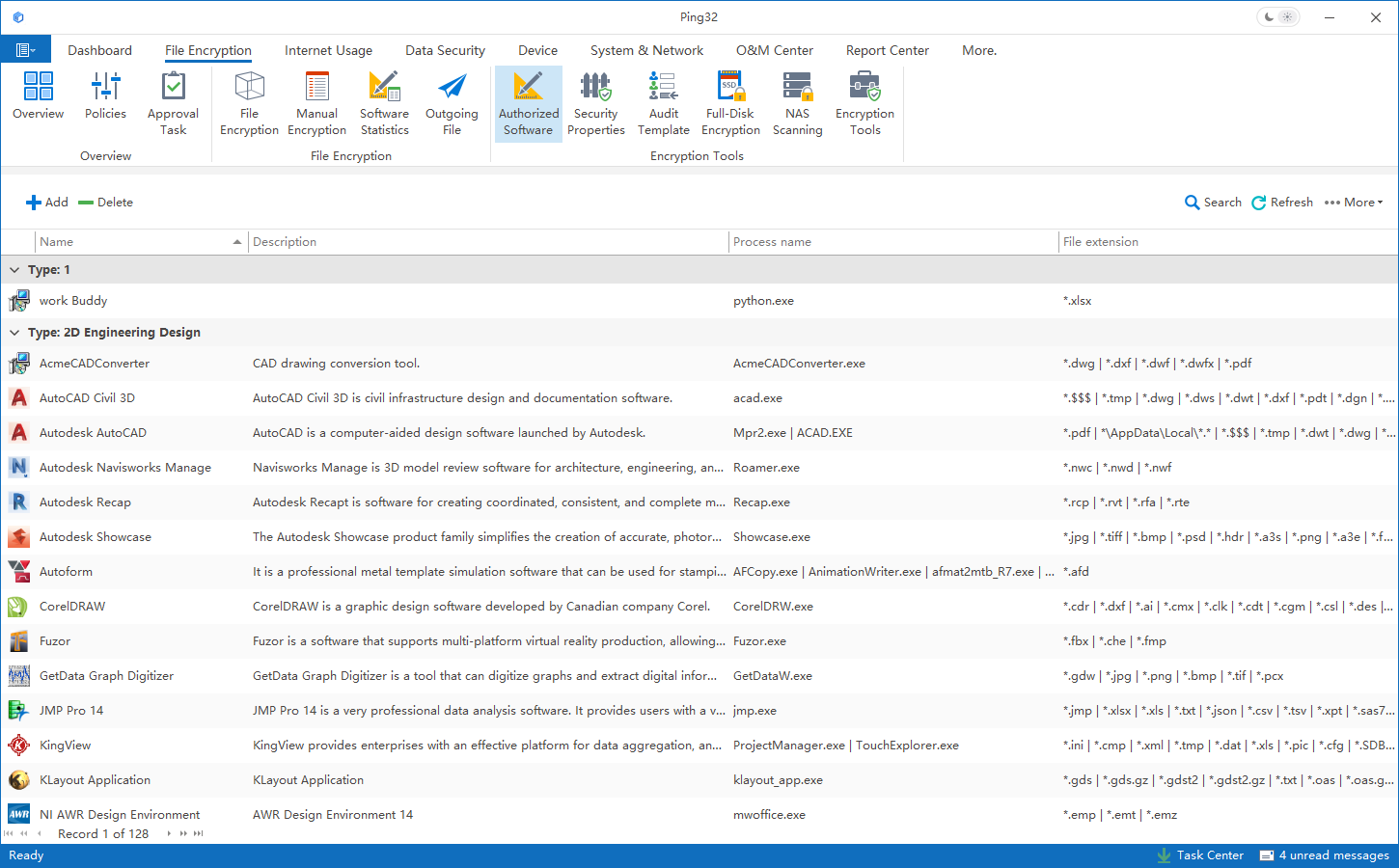
- Open the Ping32 Management Console and enter Authorized Software in the Document Encryption module
- Click More -> Import in the upper right corner
- Select the authorized software library file provided by the vendor and click Open
- You can check Select All in the upper left corner, and then click Import
- After the import is completed, you can view the corresponding software entries and information in the authorized software list.
 Extended description
For self-developed or industry-specific programs that are not covered in the authorized software library, you can combine
ProcMon (Process Monitor)to observe their actual file system access behavior.
Updated


