How to Create a Policy in Ping32
Ping32 includes multiple functional modules, and each module has its own policy model and delivery logic. This article uses Web Browsing Audit as an example to explain how policies are created, assigned, and applied in Ping32. Before you start creating policies, it is helpful to understand the following core concepts. Policy concepts Endpoint policy Path: […]
Ping32 includes multiple functional modules, and each module has its own policy model and delivery logic. This article uses Web Browsing Audit as an example to explain how policies are created, assigned, and applied in Ping32.
Before you start creating policies, it is helpful to understand the following core concepts.
Policy concepts
Endpoint policy
Group policy
Recommendation: In most production environments, group policies are easier to maintain and should be preferred whenever possible.
Policy template
How to reuse a template:
- Return to the policy list.
- Right-click an existing policy template.
- Select the option to create a referenced copy, as shown below.
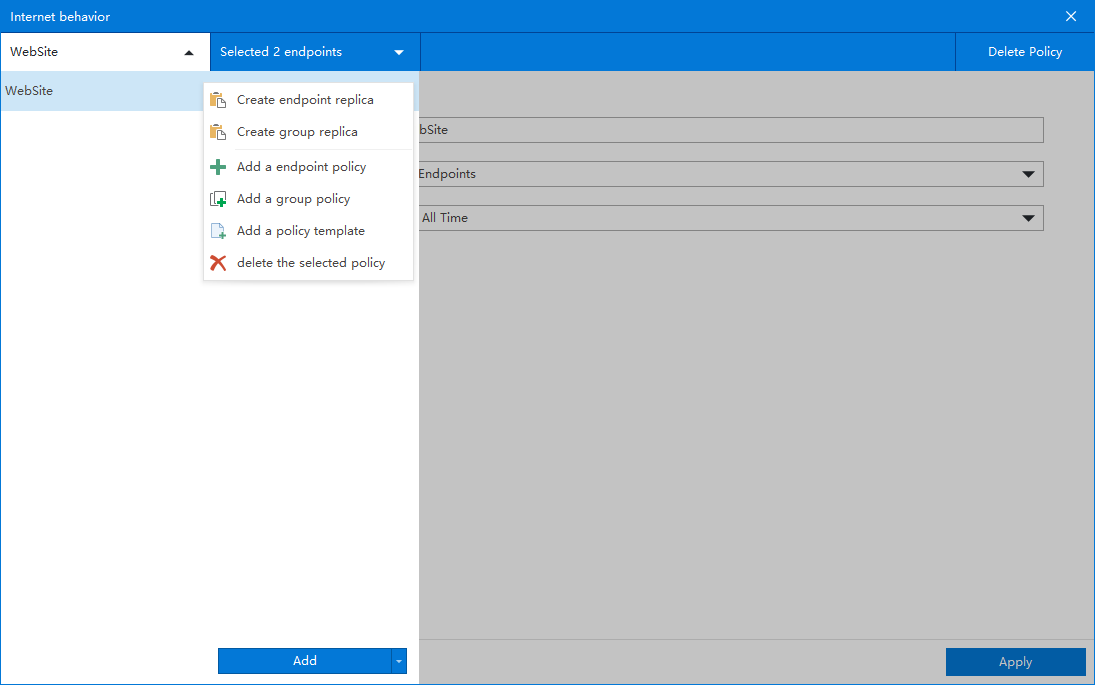
Duplicate a policy
- Existing policies can be duplicated.
- Path: in the policy list, right-click the target policy -> Create Copy.
Delete a policy
- Method 1: In the policy list, right-click the target policy and delete it.
- Method 2: Open the policy and click the delete button in the upper-right corner.
Policy priority
- Priority order: endpoint policy > group policy
- If both an endpoint policy and a group policy apply to the same endpoint, the endpoint policy takes precedence.
Override rule for the same function
- For the same endpoint and the same functional module, only one policy can be effective at a time.
- Example: if endpoint A already has a Web Browsing Audit policy and you later save another policy for the same function, the later-saved policy overrides the earlier one.
Steps to create a policy
1. Open the policy creation page
Notes: The Add button creates an endpoint policy. Select Endpoints / Groups is used to define the scope of the policy.
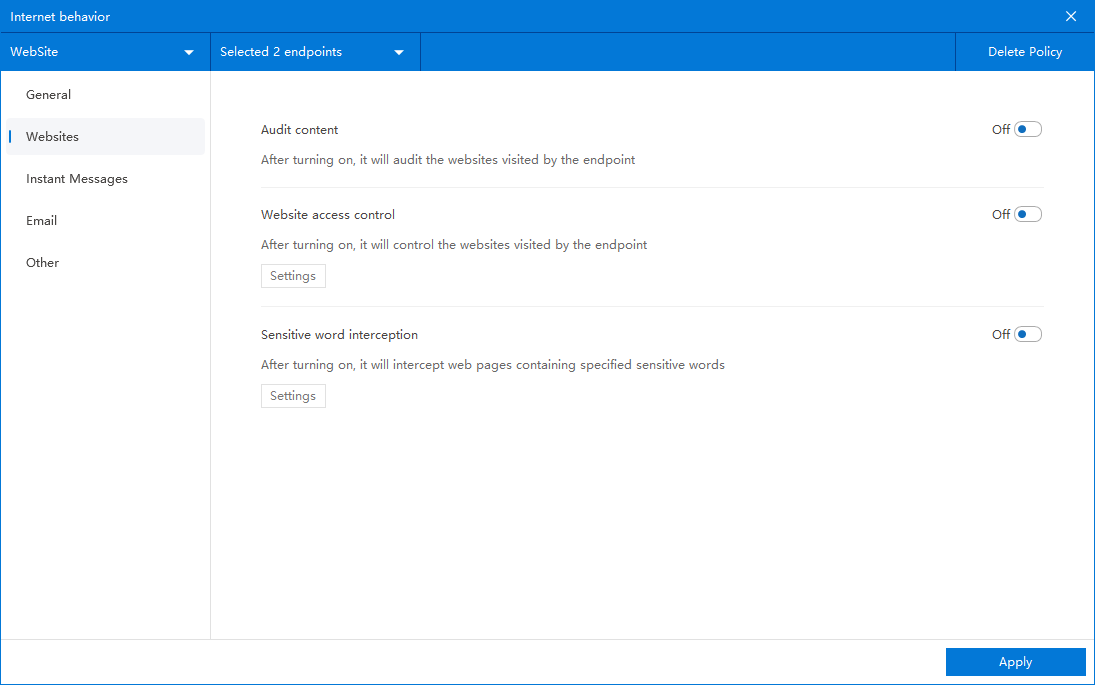
2. Select the function module and configure the policy
- In the left-side navigation of the policy editing page, select the functional module you want to configure.
- This article explains the policy model only and does not cover module-specific parameters in detail.
Updated


