How to View the Endpoint Agent Version
During the process of version upgrade, compatibility confirmation, or problem location, it is usually necessary to accurately obtain the endpoint agent version number. Ping32 supports viewing through the Management Console and the local endpoint agent, covering scenarios such as single unit verification and batch statistics. Method 1: View endpoint details (single endpoint) Applicable scenario: Quickly […]
During the process of version upgrade, compatibility confirmation, or problem location, it is usually necessary to accurately obtain the endpoint agent version number. Ping32 supports viewing through the Management Console and the local endpoint agent, covering scenarios such as
single unit verificationand
batch statistics.
Method 1: View endpoint details (single endpoint)
Applicable scenario: Quickly confirm the current endpoint agent version of a certain endpoint.
1. Enter
Endpoint Listin the Management Console
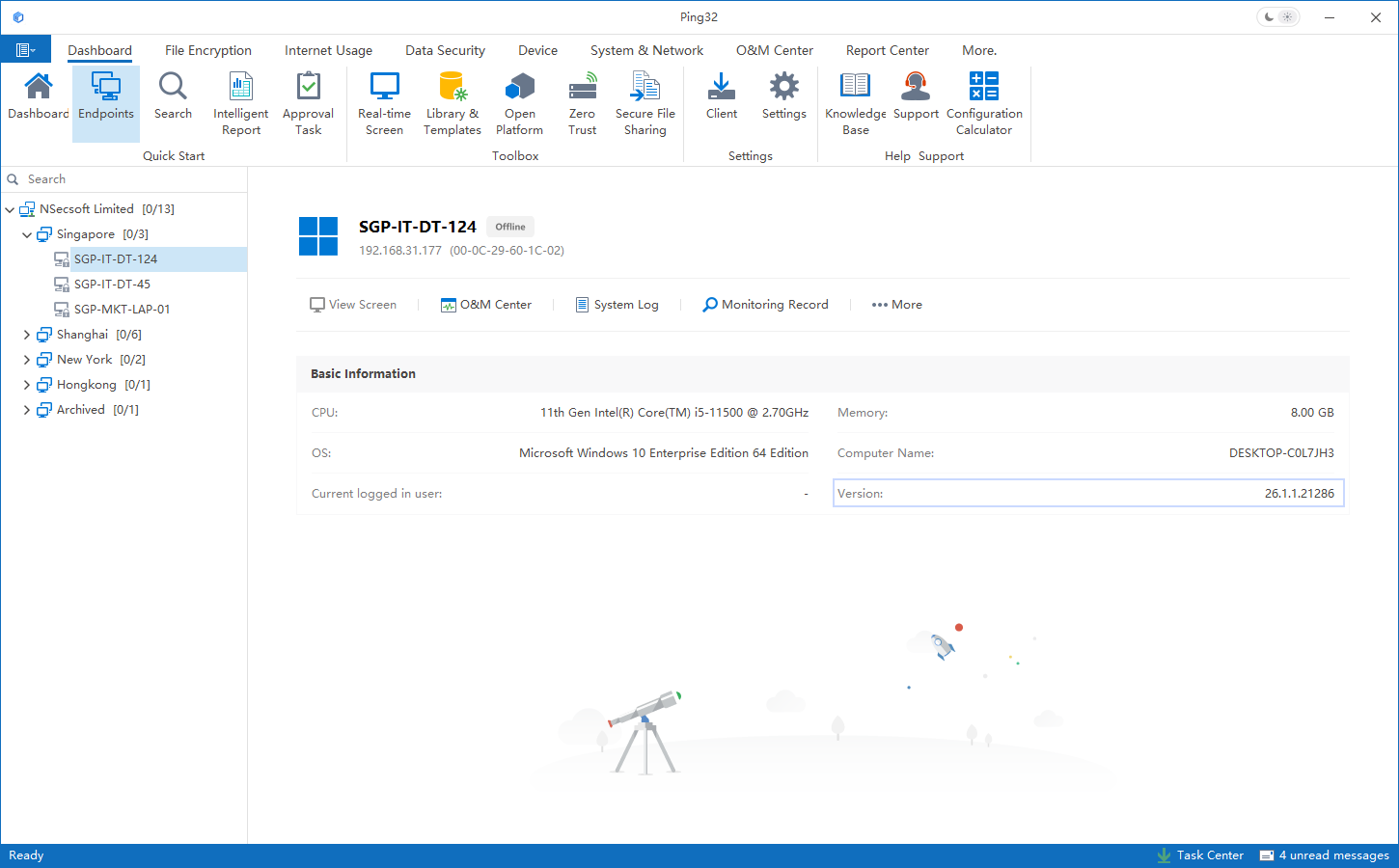
2. Double-click the target endpoint to enter
Endpoint Details3. Check the
endpoint agent version numberin the endpoint information area.
- Example:
3.7.101.20580(as shown below)
Method 2: Advanced endpoint list viewing (batch viewing/filtering statistics)
Applicable scenarios: Batch inventory of version distribution, filter specific version endpoints and count the quantity.
- Right-click on a blank space in the endpoint list
- Select Advanced Endpoint List
- Find the Version (Version) column in the field column
- You can filter/sort by version and count the number of endpoints corresponding to a certain version (as shown below)
Method 3: View locally on the endpoint agent (command line entry)
Applicable scenarios: The endpoint is offline, information cannot be obtained through the Management Console, or the version needs to be verified on-site.
1. Open
Command Prompton the endpoint agent computer
2. Execute command:
nsec -setting
- Note: Leave a space before
-setting(the command parameter format must be correct)
3. Enter the password in the pop-up setting window
4. Click on the
Systemtab
5. Check the version number corresponding to
RTS, which is the endpoint agent version (as shown below)
Updated


