How to Release Licenses and Revoke Encryption or General Licenses
When the number of endpoints exceeds the authorization limit, or some endpoints need to be cancelled, authorization recovery can be achieved by "releasing authorization" (cancel general authorization, cancel encryption authorization). Description of authorization concept Universal Authorization: Commonly known as desktop authorization, it refers to authorization for other functions except encryption. Encryption Authorization: refers to encryption […]
When the number of endpoints exceeds the authorization limit, or some endpoints need to be cancelled, authorization recovery can be achieved by "releasing authorization" (cancel general authorization, cancel encryption authorization).
Description of authorization concept
- Universal Authorization: Commonly known as desktop authorization, it refers to authorization for other functions except encryption.
- Encryption Authorization: refers to encryption function authorization.
Add universal authorization/encryption authorization
Method 1: Add directly to the endpoint list1. Click
Start -> Endpoint.Right-click the target endpoint in the endpoint list
2. Select to add
Universal Authorization/Encrypted Authorization Method 2: Add in batches to the advanced endpoint list1. Right-click on a blank space in the endpoint list.Select
Advanced Endpoint List2. Select the endpoint that needs to be authorized in the advanced endpoint list interface.Execute adding
Universal Authorization/Encryption Authorization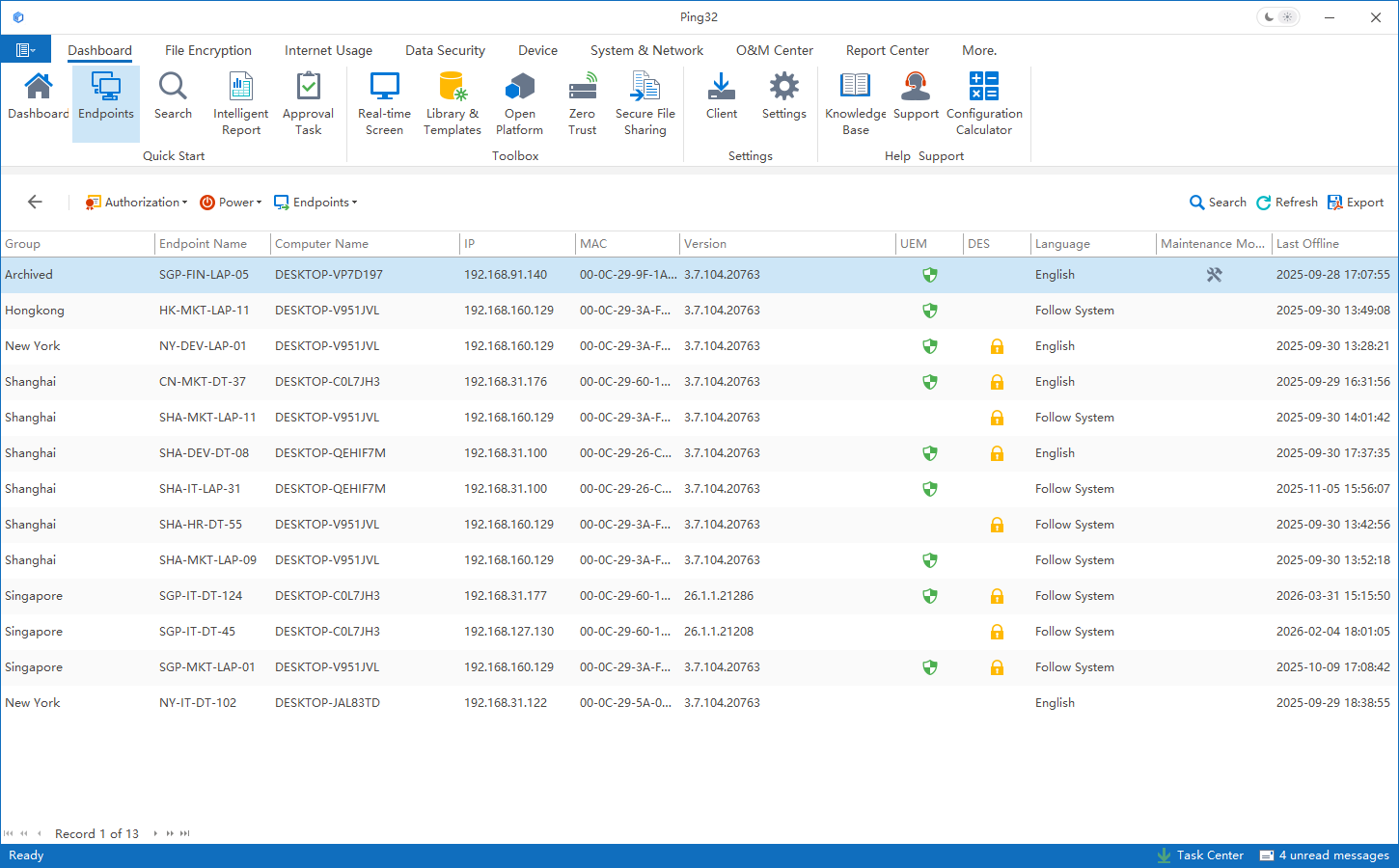
Note: Universal authorization has been added by default after the endpoint agent is installed.
Cancel general authorization/encryption authorization (release authorization)
1. Right-click on a blank space in the endpoint list.Select
Advanced Endpoint List2. Select the endpoint that needs to be deauthorized in the advanced endpoint list interface.Execute
Cancel General Authorization/Cancel Encryption AuthorizationSuggestions for handling the endpoint when it is no longer in use
If the endpoint is no longer used and the endpoint data is no longer needed, you can directly right-click
Delete Endpoint.
Deleting the endpoint will also achieve:
- Release the general authorization/encryption authorization added to the endpoint
- Clear all data from this endpoint
Updated


