How to Synchronize the Ping32 Organizational Structure with an AD Domain
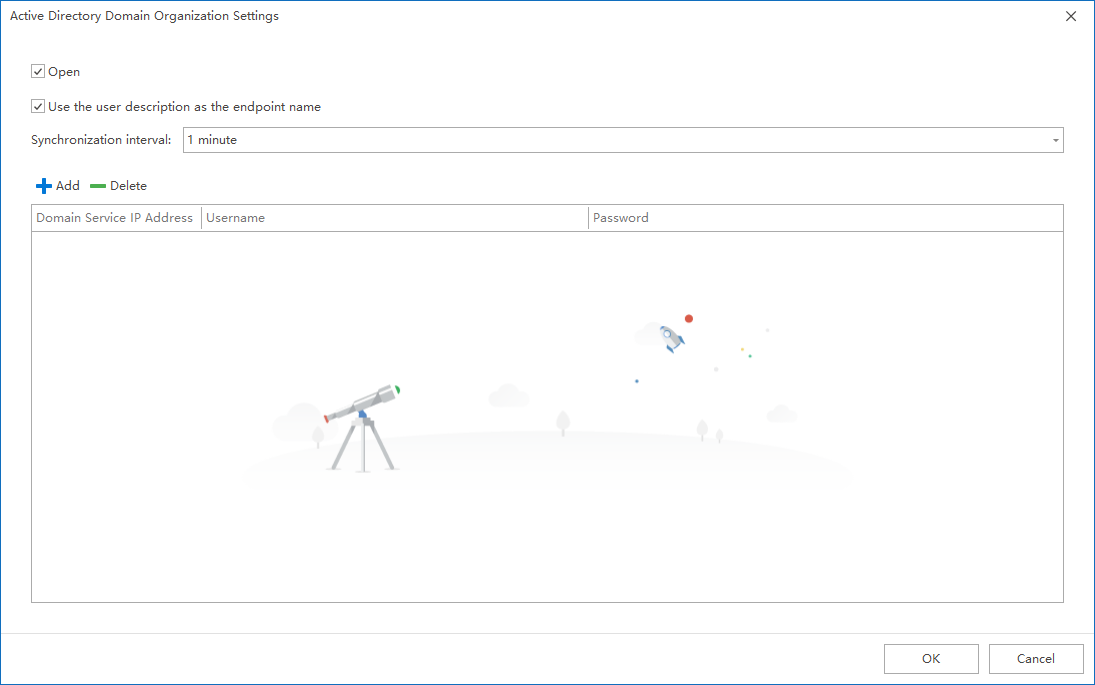
Some organizations deploy Active Directory (AD) in their internal network. Ping32 can synchronize organizational units (OUs) and related endpoint objects from AD into Ping32 so that endpoint grouping and organizational maintenance can be managed more efficiently. Configuration steps 1. Go to More Functions -> Domain Synchronization.Enable Domain Organizational Structure. 2. Click Add to create a […]
Some organizations deploy
Active Directory (AD)in their internal network. Ping32 can synchronize organizational units (OUs) and related endpoint objects from AD into Ping32 so that endpoint grouping and organizational maintenance can be managed more efficiently.
Configuration steps
1. Go to
More Functions->
Domain Synchronization.Enable
Domain Organizational Structure.
2. Click
Addto create a synchronization task.
3. Configure the
synchronization time. It is recommended to schedule the task during off-peak hours.
4. Enter the required synchronization information:
-
- Server IP: the IP address of the domain controller
- Username: an account with permission to read the AD directory
- Password
5. Click
OKto save the configuration.Ping32 validates the AD environment automatically. After validation succeeds, synchronization runs according to the configured schedule.
Notes and recommendations
- The synchronization scope is determined by the organizational structure in the AD domain.A common use case is to map OUs to Ping32 endpoint groups for centralized administration by department or region.
- Use a dedicated service account with the minimum required directory read permissions.
- If synchronization does not take effect, first verify connectivity to the domain controller, account permissions, and the configured synchronization schedule.
Updated


